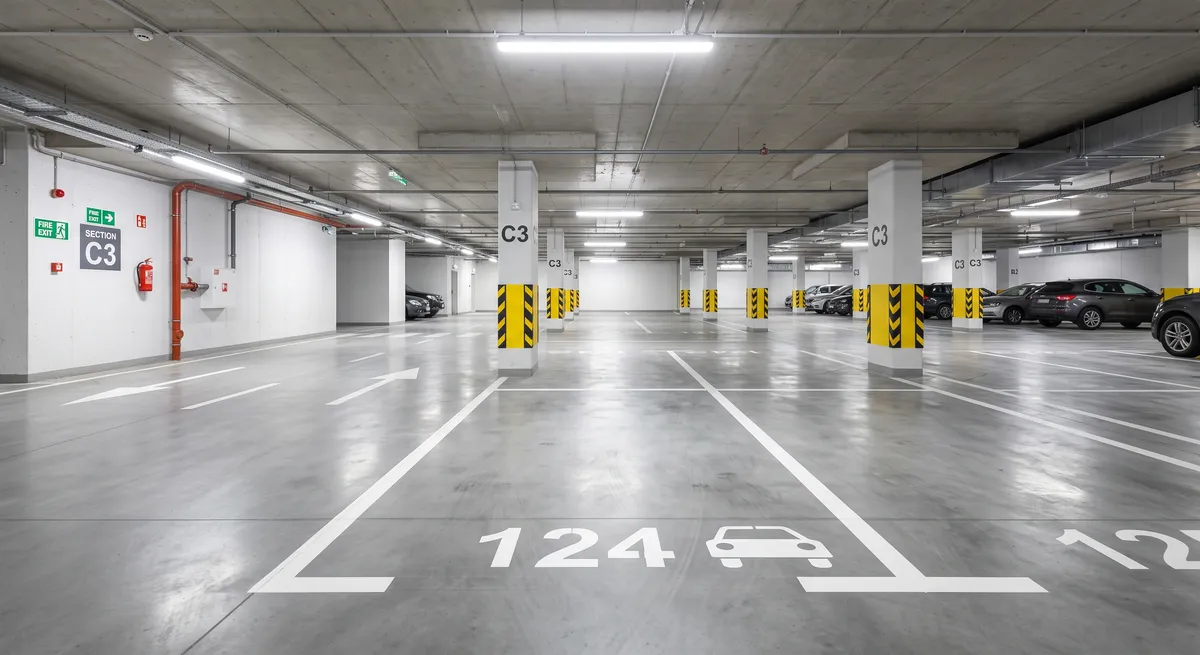
Below you will find a list of things to prepare, a step by step guide to adding a listing on Maszbox.pl, and the rules for handing the space over to the tenant.
Before you start: what to prepare
For a rental of a few days, the tenant wants to check quickly whether their car will fit and how to get into the hall. Prepare this information before filling in the form:
- Dimensions of the space: length and width.
- Height of the entrance to the hall: it is often lower than in the hall itself. For owners of vans and cars with a roof box this is the most important information.
- Level and space number: for example level -1, space no. 24.
- Remote, card or app: check how many you have and whether you can give one to the tenant.
- Garage rules: check whether they allow cars with LPG systems, storing things in the space and giving the remote to people from outside the building. Some housing communities and cooperatives restrict access for outsiders.
We describe how to prepare the space and take good photos in the guide how to get a garage ready to rent out.
Step 1. Sign in or create an account
Sign in to your account, or create a new one if you do not have one yet. Then click the “Add listing” button.
Step 2. Fill in the location
Enter the exact location:
- city,
- street,
- building number,
- district (if it was not filled in automatically).
Step 3. Enter the listing title
Enter a short title with the type of space and the location, for example: Parking space in an underground garage by the day - Wrocław, Krzyki.
Step 4. Fill in the listing description
In the description, give everything a tenant would ask about. You can use this template and fill in the fields in brackets:
Parking space in an underground garage for short-term rent at [street] in [city], [name] district.
- level [-1], space number given after the booking is confirmed
- space dimensions: [length] × [width] m, height of the entrance to the hall: [X] m
- entry: [remote / card / app], handed over [in person / as agreed], returned after the rental ends
- access: [24/7 / hours X-Y]
- cars with LPG: [yes / no - in line with the garage rules]
- the space is for parking only, no storing of things
- minimum rental period: [X] days
Only describe what is true. If there is no CCTV in the hall, do not say there is.
Step 5. Pick the availability dates
Pick the start date and the end date of the space's availability.
Step 6. Add photos
Add photos of the parking space. The maximum size of one photo after compression is 5 MB. Allowed file formats are:
- jpeg,
- png,
- webp.
Take photos with the hall lighting on. Show the space itself, the level marking and the way from the entrance. Other people's number plates should not be visible in the photos, so if they get into the frame, blur them before adding. Only add current photos of your own space.
Step 7. Pick the listing type
Pick the listing type: Rent.
Step 8. Pick the listing category
Pick the category: Parking spaces.
Step 9. Pick the rental period
Pick the rental period: Short-term.
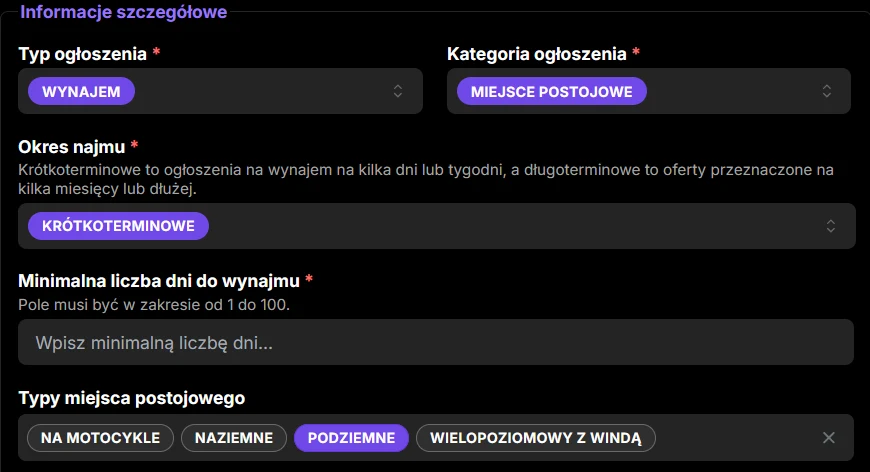
Step 10. Set the minimum rental period
Enter the minimum number of rental days, for example 10 days.
Every handover and return of the remote takes your time. A shorter minimum period will attract more people, but there will be more meetings. A longer one means fewer bookings and less logistics.
Step 11. Pick the parking space type
Set the type of parking space: Underground.
Step 12. Pick the floor
Set the floor, for example Level -1.
Step 13. Pick the access
Pick the type of access, for example 24/7 access. If the garage rules or the way the remote is handed over limit the hours, pick the option that matches reality.
Step 14. Tick the extra options
Tick the security and usage options that are really available in your hall.
Step 15. Enter the price
Enter the gross price for one day of rent. Gross means the full amount the tenant will pay per day, with no hidden extra charges. If you take a deposit for the remote, say so in the listing description.
You can check the current rates in your area in the parking spaces for rent listings.
Step 16. Accept the consents and declarations
Read and accept the required consents and declarations.
Step 17. Add the listing
Once all the details are filled in, click the button to add the listing. Your listing will appear on Maszbox.pl. You will find the general rules for adding listings on the how to add a listing page.
After adding the listing: rental confirmation and handing over the remote
You sign the agreement directly with the tenant. Maszbox.pl is a listings service and is not a party to that agreement. Even for a rental of a few days, confirm the terms in writing. It can be a short agreement or an exchange of emails or messages. Include in it:
- the rental dates and the space number,
- the price per day, the total amount and the payment date,
- the details of the vehicle that will be parked,
- how the remote or card is handed over and returned,
- the deposit for the remote and what happens if it is lost or breaks,
- a ban on storing things and the obligation to follow the garage rules.
Only hand over the remote after the terms are confirmed, and return the deposit once you have the remote back. We describe which clauses work well when renting out small spaces in the article storage unit rental contract - what it must contain.
If you rent out the space as a business, the tenant is a private person and you sign the agreement online, consumer rights rules also apply to you. They include, among other things, information obligations and the rules for withdrawing from the contract.
Tax on short-term parking space rental
Renting by the day is still renting, so you pay tax on the rent. For a private rental this is a flat-rate tax of 8.5% of revenue up to PLN 100,000 a year and 12.5% on the excess. If you regularly rent out several spaces in an organised way, the tax office may treat it as a business activity. In that case, ask an accountant. You can read more about settling rental income in the guide how to earn from spare space.

Marsel Zychowski
MaszBox Team
We share practical know-how on renting and selling space - garages, warehouses, storage units, parking spots and more.