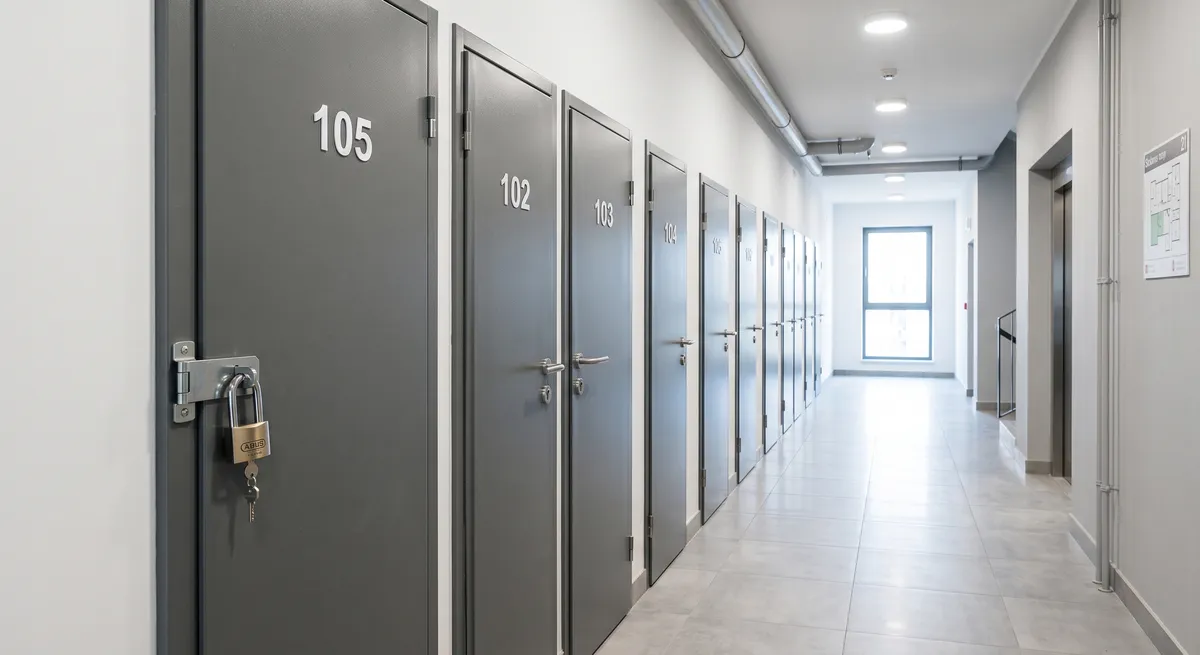
Below you will find a step by step guide to adding a long-term rental listing for a storage unit on Maszbox.pl. If you only want to rent out the unit for a few days or weeks, use the guide how to add a short-term rental listing for a storage unit.
Before you start
- Check whether you can rent out the unit yourself. A storage unit can belong to your flat, be a common part of the building or be a room allocated by the housing cooperative. In the last two cases you need the consent of the homeowners' association or the cooperative. How to check this is covered in our guide can I rent out my basement. The same rules apply to storage units.
- A storage unit is for storing things. Do not rent it out to live in or as a workshop.
- Decide how the tenant will get into the building. Check the building rules to see whether you can hand over a key, a card or an entry code.
- Measure the unit and take care of the lock. Give the floor area, the height and the door width. Before the first tenant, replace the padlock or the lock cylinder. You will find more about security in our guide how to secure a storage unit against theft.
How to add the listing step by step
Step 1. Sign in or create an account
Sign in to your account, or create a new one if you do not have one yet. Then click the “Add listing” button.
Step 2. Fill in the location
Enter the exact location:
- city,
- street,
- building number,
- district (if it was not filled in automatically).
Step 3. Enter the listing title
Enter a short title with the floor area and the location, for example: Storage unit 4 m² long-term - Wrocław, Krzyki.
Step 4. Fill in the listing description
You can use this template and fill in the fields in brackets:
Storage unit for long-term rent at [street] in [city], [name] district.
- floor area: [X] m², height: [X] m, door width: [X] cm
- location: [level -1 / ground floor / floor], [lift: yes / no]
- the unit is [dry / lit], locked with [a padlock / a lock]
- building entrance: [key / card / code], access: [24/7 / from X to Y]
- for storing things only, no fire hazardous materials (fuel, gas cylinders, solvents, fireworks)
- available from: [date]
Only describe what is true.
Step 5. Add photos
Add photos of the storage unit. The maximum size of one photo after compression is 5 MB. Allowed file formats are:
- jpeg,
- png,
- webp.
Take the photos with the light on. Show the inside, the door with the lock and the corridor leading to the unit. Do not photograph other people's units or your neighbours' belongings.
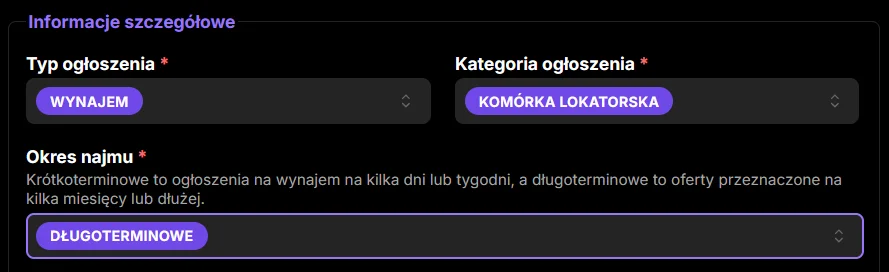
Step 6. Pick the listing type
Pick the listing type: Rent.
Step 7. Pick the listing category
Pick the category: Storage unit.
Step 8. Pick the rental period
Pick the rental period: Long-term. For a long-term rental you do not set availability dates.
Step 9. Enter the floor area
Give the floor area in square metres (m²).
Step 10. Pick the floor
Set the floor, for example Level -1.
Step 11. Pick the access
Pick how the unit is accessed, for example 24/7 access. If the building rules limit the entry hours, pick the option that matches them.
Step 12. Tick the extra options
Tick the security and usage options that are really available.
Step 13. Enter the price
Enter the gross price for one month of rent. Gross means the full amount the tenant will pay, with no hidden extra charges. If you take a deposit, say so in the listing description. What the rates depend on is explained in the article how much it costs to rent a storage unit, and you can check current prices in your area in the storage units for rent listings.
Step 14. Accept the consents and declarations
Read and accept the required consents and declarations.
Step 15. Add the listing
Once all the details are filled in, click the button to add the listing. Your listing will appear on Maszbox.pl. You can find the general rules for adding listings on the how to add a listing page.
After adding the listing
You sign the agreement directly with the tenant. Maszbox.pl is a listings service and is not a party to that agreement. For a long-term rental, put the agreement in writing. What to include in it is covered in the article storage unit rental contract: what it must contain. What you must not store in the unit and how to settle the tax on rental income is explained in our guide can I rent out my basement. If you rent out as a business to a private person online, consumer rights rules also apply to you.

Marsel Zychowski
MaszBox Team
We share practical know-how on renting and selling space - garages, warehouses, storage units, parking spots and more.