Below we explain what to check and prepare, how to add a listing on Maszbox.pl step by step and what rules to put in the agreement.
Before you start: what to check when renting out a room for storage
Can you rent out this room
- You own the flat: you can rent out the room yourself. If the flat has several owners, for example spouses or siblings, agree the rental with the others.
- You rent the flat yourself, including council housing: without the landlord's consent you cannot sublet part of the premises (Article 688² of the Polish Civil Code). Ask for consent first, preferably in writing.
- You have a cooperative right to the flat: ask the housing cooperative whether you need its consent.
A room for storage only, not for living in
This rental is about storing things. Make sure the tenant does not live or stay overnight in the room. If they start living there, the rental may be treated as a residential tenancy. The Polish Act on the Protection of Tenants' Rights then applies, which makes it much harder to end the rental and clear the room. That is why the purpose of the room, storage only, must be stated explicitly in the listing and in the agreement.
A stranger in your home
- Visits: agree when the tenant can come for their things, for example by prior arrangement. It is your home, so you do not have to give 24/7 access.
- Keys: decide whether the tenant gets a key to the flat or only comes when you are at home.
- A lock on the room door: with it, the tenant can be sure that no one touches their things, and you can be sure that they do not go into the rest of the flat. You can read more about security in the guide how to secure a storage unit against theft.
- Insurance: check the terms of your home insurance. Some insurers require you to report the rental, and the tenant's belongings are usually not covered by it. The tenant takes care of insuring them.
- Camera: if you have a camera in the flat, tell the tenant about it.
What to prepare
- Dimensions: the floor area of the room, the height and the door width.
- The way to the room: the floor, the lift, the width of the staircase. A large wardrobe or a sofa may not fit.
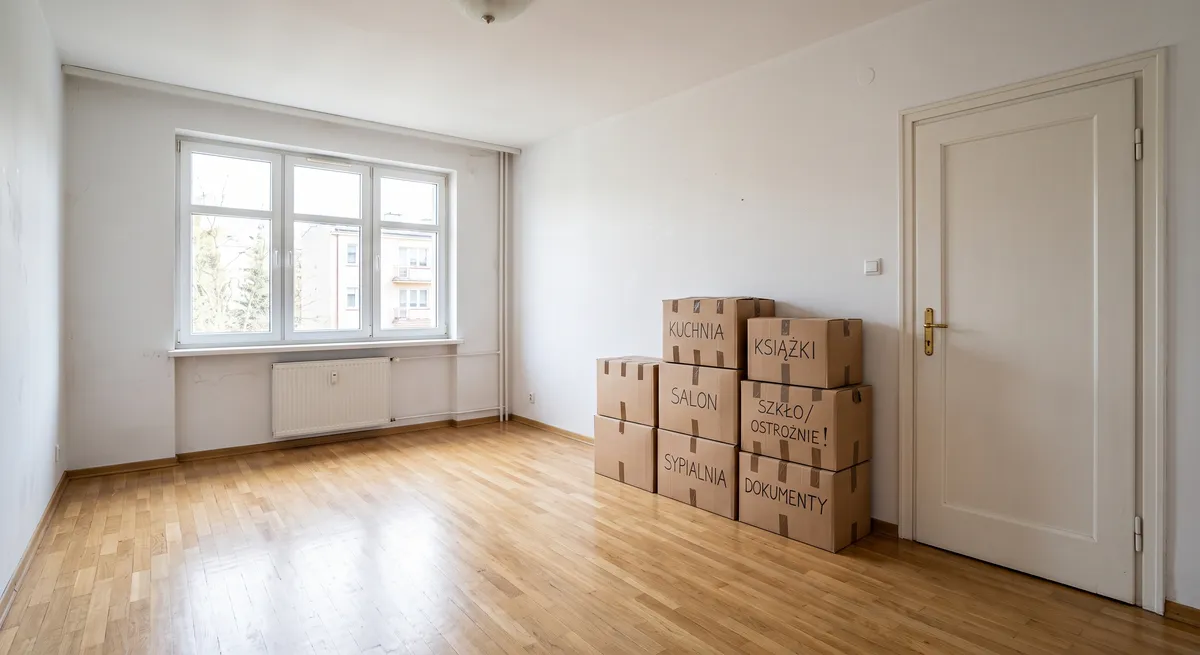
- An empty room: take your things out and clean up. The tenant will then see how much space there is.
Step 1. Sign in or create an account
Sign in to your account, or create a new one if you do not have one yet. Then click the “Add listing” button.
Step 2. Fill in the location
Enter the exact location:
- city,
- street,
- building number,
- district (if it was not filled in automatically).
Step 3. Enter the listing title
Enter a short title with the purpose, the floor area and the location, for example: Room 14 m² for storing things - Łódź, Bałuty.
Step 4. Fill in the listing description
In the description, give everything a tenant would ask about. You can use this template and fill in the fields in brackets:
Room for long-term rent for storing things (not for living in) at [street] in [city], [name] district.
- floor area: [X] m², door width: [X] cm
- floor: [X], [with a lift / without a lift]
- room locked with [a lock / a padlock]
- visits: [by prior arrangement / hours X-Y]
- suitable for: [furniture, boxes, sports equipment, things during a renovation]
- no fire-hazardous materials (fuel, gas cylinders, solvents, fireworks)
- available from: [date]
Only describe what is true.
Step 5. Add photos
Add photos of the room. The maximum size of one photo after compression is 5 MB. Allowed file formats are:
- jpeg,
- png,
- webp.
Show the empty room in daylight, the door with the lock and the way to the room. The photos should not show your private belongings, documents or a visible flat number. Only add current photos.
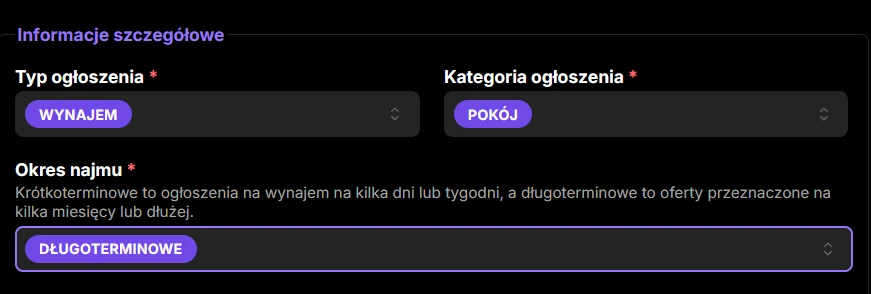
Step 6. Pick the listing type
Pick the listing type: Rent.
Step 7. Pick the listing category
Pick the category: Room.
Step 8. Pick the rental period
Pick the rental period: Long-term. For a long-term rental you do not set availability dates.
Step 9. Pick the condition
Set the condition of the room, for example Finished. Pick the option that matches reality and what the photos show.
Step 10. Enter the floor area
Give the floor area in square metres (m²).
Step 11. Pick the floor
Set the floor, for example 2nd floor.
Step 12. Pick the access
Pick the type of access, for example Access during limited hours. For a room in your own flat this is usually the best option. Pick the one that matches what you agree with the tenant.
Step 13. Tick the extra options
Tick the security and usage options that are really available.
Step 14. Enter the price
Enter the gross price for one month of rent. Gross means the full amount the tenant will pay, with no hidden extra charges. If you take a deposit, say so in the listing description.
Step 15. Accept the consents and declarations
Read and accept the required consents and declarations.
Step 16. Add the listing
Once all the details are filled in, click the button to add the listing. Your listing will appear in the rooms category. You will find the general rules for adding listings on the how to add a listing page.
After adding the listing: the agreement and the rules for visits
You sign the agreement directly with the tenant. Maszbox.pl is a listings service and is not a party to that agreement. For a long-term rental, put the agreement in writing. Include in it:
- the details of the parties and a description of the room,
- the purpose: storing things only, no living in or staying overnight,
- the rules for visits and for the keys handed over,
- the rent, the payment date and the deposit,
- the rental period and the notice rules,
- a ban on storing fire-hazardous materials,
- the deadline for clearing the room after the rental ends.
If the tenant does not collect their things after the rental ends, do not throw them away or sell them on your own. Give them a deadline for collecting them in writing, and if they do not respond, ask a lawyer.
If you rent out as a business, the tenant is a private person and you sign the agreement online, consumer rights rules also apply to you.
We describe which clauses work well when renting out small storage spaces in the article storage unit rental contract - what it must contain.
Tax on renting out a room
The rent is revenue on which you pay tax, even when you rent out just one room. For a private rental this is a flat-rate tax: 8.5% of revenue up to PLN 100,000 a year and 12.5% on the excess.

Marsel Zychowski
MaszBox Team
We share practical know-how on renting and selling space - garages, warehouses, storage units, parking spots and more.