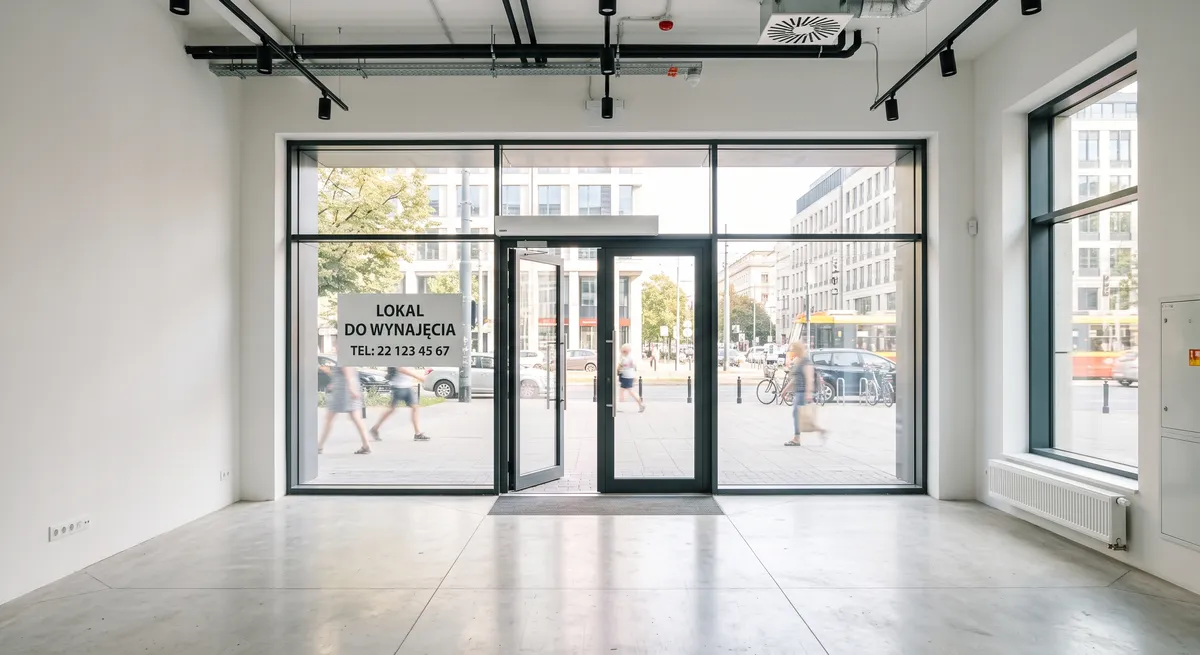
Below you will find a step by step guide to adding a long-term rental listing for a commercial unit on Maszbox.pl, along with a list of documents and information worth having at hand before you start. How to get the unit ready, take good photos and set the price is covered separately in our guide how to rent out a commercial unit fast.
Before you start: documents and the intended use of the unit
Energy performance certificate
A unit you rent out must have an energy performance certificate. When you sign the agreement, you give the tenant a copy or a printout of it. If the certificate has been issued, give its indicators in the listing:
- the annual demand for usable energy, final energy and non-renewable primary energy,
- the share of renewable energy sources in the final energy demand,
- the unit CO₂ emissions.
The certificate is prepared by a qualified person, not by the owner of the unit. You do not need one for, among others, a building entered in the register of historic monuments or a detached building with a usable floor area below 50 m².
What business the unit is really suitable for
State in the listing what the unit is intended for: retail, services, an office. Do not promise that the unit is suitable for food service if you have not checked it. Food service requires, among other things, proper ventilation and meeting the sanitary inspection requirements. If the unit were to change its use, this may require a notification to the county office and arrangements with the homeowners' association.
Inspections and fire safety
Periodic building inspections are the duty of the owner or the manager. The owner, the manager or the user of the unit is responsible for fire extinguishers and signage. Write down in the agreement who is responsible for what.
How to add the listing step by step
Step 1. Sign in or create an account
Sign in to your account, or create a new one if you do not have one yet. Then click the “Add listing” button.
Step 2. Fill in the location
Enter the exact location:
- city,
- street,
- building number,
- district (if it was not filled in automatically).
Step 3. Fill in the listing description
You can use this template and fill in the fields in brackets:
Commercial unit for long-term rent at [street] in [city], [name] district.
- floor area: [X] m², [number] rooms, [back room / WC / shop window]
- intended use: [retail / services / office]
- entrance: [from the street / from the courtyard], [ground floor / floor], [step-free / stairs]
- utilities: [electricity, water, heating], billing: [by meter / flat rate]
- energy performance certificate: EP [X] kWh/(m²·year), EK [X], EU [X], RES [X]%, CO₂ [X] t/(m²·year)
- price: PLN [X] net + VAT / PLN [X] gross
- available from: [date], minimum rental period: [X] months
Only describe what is true.
Step 4. Add photos
Add photos of the unit. The maximum size of one photo after compression is 5 MB. Allowed file formats are:
- jpeg,
- png,
- webp.
Show the interior from several sides, the shop window and the entrance. Do not show the faces of passers-by or number plates. You will find more photo tips in our guide how to rent out a commercial unit fast.
Step 5. Pick the listing type
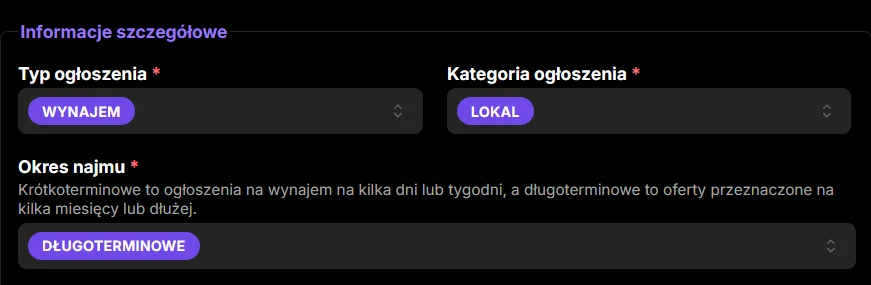
Pick the listing type: Rent.
Step 6. Pick the listing category
Pick the category: Unit.
Step 7. Pick the rental period
Pick the rental period: Long-term.
Step 8. Pick the unit type
Pick the unit type, for example retail or service, matching what the unit is intended for.
Step 9. Pick the unit condition
Set the condition, for example Finished or Needs renovation. Pick the option that matches what the photos show.
Step 10. Enter the floor area
Give the floor area in square metres (m²).
Step 11. Pick the floor
Set the floor, for example Ground floor.
Step 12. Pick the availability
Pick the option that matches reality. Specific availability dates (from and to) are only set for short-term rentals. For a long-term rental, give the date from which the unit is free in the listing description (step 3).
Step 13. Tick the extra options
Tick the security and usage options that are really available in the unit.
Step 14. Enter the price
Enter the gross price for one month of rent, that is the amount the tenant will actually pay.
- You are an active VAT payer: renting out a commercial unit is not exempt from VAT, so you add 23% VAT to the net rent. Enter the gross amount in the price field, and in the description you can also give the net price, for example “PLN 4,000 net + 23% VAT”.
- You rent out as a private person and are not a VAT payer: your price is the final price.
You can check the rates of similar units in your area in the units for rent listings.
Step 15. Accept the consents and declarations
Read and accept the required consents and declarations.
Step 16. Add the listing
Once all the details are filled in, click the button to add the listing. The general publishing rules for all categories are described on the how to add a listing page. If you have several units, you can also present your offer in the company directory.
After adding the listing: the unit rental agreement
You sign the agreement directly with the tenant. Maszbox.pl is a listings service and is not a party to that agreement. A commercial unit rental agreement usually covers:
- an exact description of the unit and its intended use,
- the net rent and VAT, the payment date and the rules for indexing the rent,
- utility charges and how they are billed,
- security: a deposit or a bank guarantee,
- the rental period and the notice rules,
- consent to or a ban on subletting,
- the rules for fitting out the unit by the tenant: who pays and what happens to the improvements when the rental ends,
- the split of duties: inspections, fire safety duties, repairs,
- insurance: you insure the unit, and the tenant insures their own equipment and their third-party liability.
When you sign the agreement, give the tenant a copy or a printout of the energy performance certificate and keep proof that you did so.
If you rent out as a business, the tenant is a private person and you sign the agreement online, consumer rights rules also apply to you.
Tax on renting out a unit
- A private person renting out a unit outside a business pays a flat-rate tax: 8.5% of revenue up to PLN 100,000 a year and 12.5% on the excess. Ask an accountant about VAT at higher revenues.
- A company settles the rental as part of its business.
Questions about a commercial unit listing
Is an energy performance certificate needed for a unit listing?
A unit you rent out should have an energy performance certificate, and you give the tenant a copy when you sign the agreement. If the certificate has been issued, you give its indicators in the listing. Among others, historic monuments and detached buildings with a usable floor area below 50 m² are exempt.
What price should I enter: net or gross?
Enter the gross amount in the price field, that is the amount the tenant will actually pay. If you are an active VAT payer, also give the net price in the description with the note “+ 23% VAT”.
Can I write that the unit is suitable for food service?
Only if you have checked it. Food service requires, among other things, proper ventilation and meeting the sanitary inspection requirements. If you are not sure, describe what the unit has, for example ventilation, a back room or utility connections, and note that the tenant must check the requirements for their business themselves.

Marsel Zychowski
MaszBox Team
We share practical know-how on renting and selling space - garages, warehouses, storage units, parking spots and more.