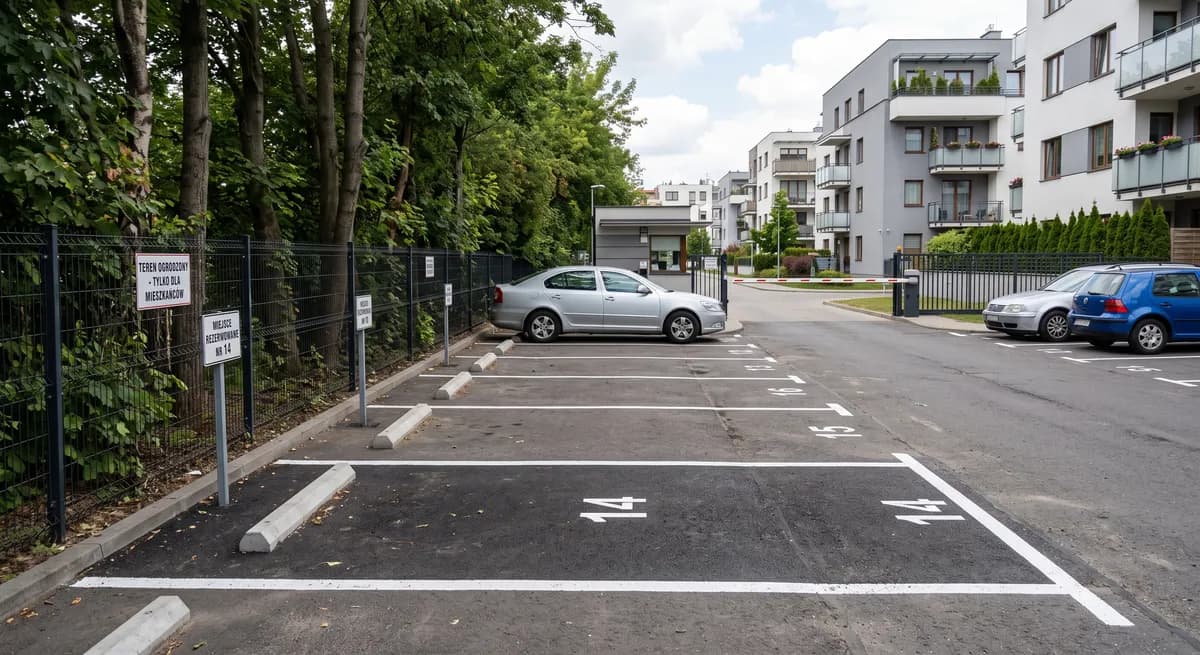
Below you will find a step by step guide to adding a sale listing for an above-ground parking space on Maszbox.pl. Before you start, check whether your space can be sold separately at all. With above-ground spaces this is far from obvious.
Before you start: can you sell this space?
Whether you can sell the space depends on its legal status:
| Status of the space | Can you sell it separately |
|---|---|
| A space on the housing community's land, assigned to you for use only (a so-called quoad usum division) | No. A share in the common property is tied to the ownership of the flat (Article 3(1) of the Polish Act on the ownership of premises), so such a space passes to the buyer only together with the flat. |
| A share in a separate parking plot with its own land and mortgage register, with a space assigned to you | Yes. You sell your share in that plot. |
| A plot with a parking space that you own alone | Yes. You sell the property. |
| A space rented from or assigned by the municipality or a housing cooperative | No. You are not its owner. |
You can check the status in the notarial deed of purchase, in the land and mortgage register or with the housing community's manager. If you are not sure, ask a notary before you add the listing.
What to prepare
- the land and mortgage register number (księga wieczysta) of the plot or share,
- the document under which you bought the space (notarial deed),
- the agreement or resolution that assigns a specific space to you, if you have a share in a parking plot,
- information about the monthly fees for the housing community or manager,
- the dimensions of the space and how the entry works (barrier, remote control, card).
How to add the listing step by step
Step 1. Sign in or create an account
Sign in to your account or create a new one if you do not have it yet. Then click the “Add listing” button.
Step 2. Fill in the location
Enter the exact location:
- city,
- street,
- building number,
- district (if it was not filled in automatically).
Step 3. Enter the listing title
Write a short title with the type of space and the location, for example: Above-ground parking space for sale, gated estate - Katowice, Ligota.
Step 4. Fill in the listing description
You can use this template and fill in the fields in brackets:
Above-ground parking space for sale on [street] street in [city], [name] estate.
- status: [share in a parking plot with assigned space no. X / plot in sole ownership], land and mortgage register: [number available on request / number]
- dimensions of the space: [length] × [width] m
- entry: [barrier / remote-controlled gate / open], area [fenced / monitored]
- monthly fees for the housing community or manager: PLN [X]
- sale before a notary, space available from [date]
Describe only what is true.
Step 5. Add photos
Add photos of the parking space. The maximum size of one photo after compression is 5 MB. Allowed file formats:
- jpeg,
- png,
- webp.
Show the empty space, its marking, the entry (barrier or gate) and the surroundings. Other people's number plates should not be visible in the photos. If they get into the frame, blur them before uploading.
Step 6. Pick the listing type
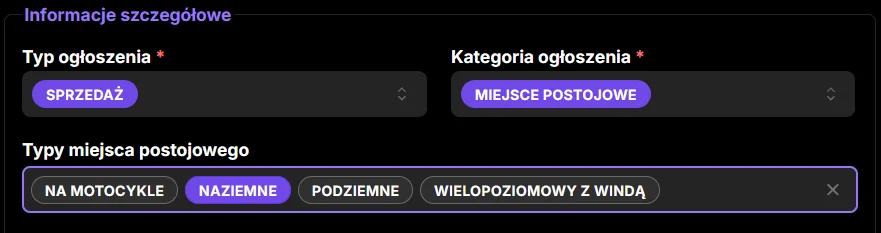
Pick the listing type: Sale.
Step 7. Pick the listing category
Pick the category: Parking space.
Step 8. Pick the parking space type
Pick the parking space type: Above-ground.
Step 9. Pick the floor
Set the floor: Ground floor.
Step 10. Pick the access
Pick how the space is accessed, for example 24/7 access.
Step 11. Tick the extra options
Tick the security and usage options that are really available.
Step 12. Enter the price
Enter the gross sale price, that is the amount the buyer will pay. If you are selling as a private person, this is your final price. The price does not include the civil law transactions tax (PCC) or notary fees. You can check the prices of similar spaces in your area in the parking spaces for sale listings.
Step 13. Accept the consents and declarations
Read and accept the required consents and declarations.
Step 14. Add the listing
Once all the details are filled in, click the button to add the listing. Your listing will appear on Maszbox.pl. You can find the general rules for adding listings on the how to add a listing page.
After adding the listing: notary and taxes
You sign the sale agreement directly with the buyer. Maszbox.pl is a listings service and is not a party to that agreement.
- Notarial deed. Real estate or a share in it must be sold before a notary. An agreement signed without a notarial deed is invalid. If the space is assigned to you by an agreement or a resolution on the division of use, give a copy of it to the buyer and the notary.
- PCC. The civil law transactions tax is 2% of the market value. The buyer pays it and the notary collects it.
- PIT. If you sell within 5 years, counted from the end of the year in which you bought the space, you pay 19% tax on the income and file a PIT-39 return by 30 April of the following year. An exemption is possible in some situations, so ask an accountant about it.
- Selling through a company. If you sell as part of a business activity, different tax rules apply.

Marsel Zychowski
MaszBox Team
We share practical know-how on renting and selling space - garages, warehouses, storage units, parking spots and more.